Safy for your child’s safety and your family’s peace of mind

Peace of mind for parents,safety for children

Real-time location, safe zones, app limits, and an SOS button. Safy Parent and Safy Kid connect in 15 seconds.

Google PlayDownload Safy for Android

Everything important — in one app

  • Location 24/7
  • Safe zones
  • App limits
  • SOS button
  • Route history
  • PIN and lock
Why Safy

Why parents choose Safy

Keeping up with your child's digital life manually is exhausting. Safy does it for you and only reports what matters.

Sound familiar?

  • I don't know where my child is

    Their phone is silent, and they should already be home

  • Hours on TikTok and YouTube

    Instead of studying, sleeping, and going outside

  • No contact in a dangerous situation

    It is hard for a child to call for help quickly

  • Arguments over the phone

    The same thing every evening

Your child's digital life — with no blind spots

Safy Kid — simple for children

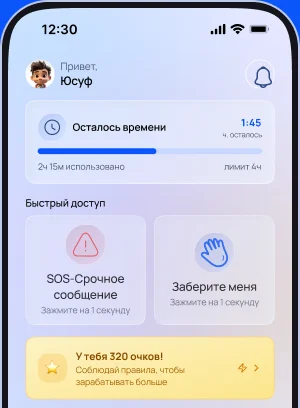
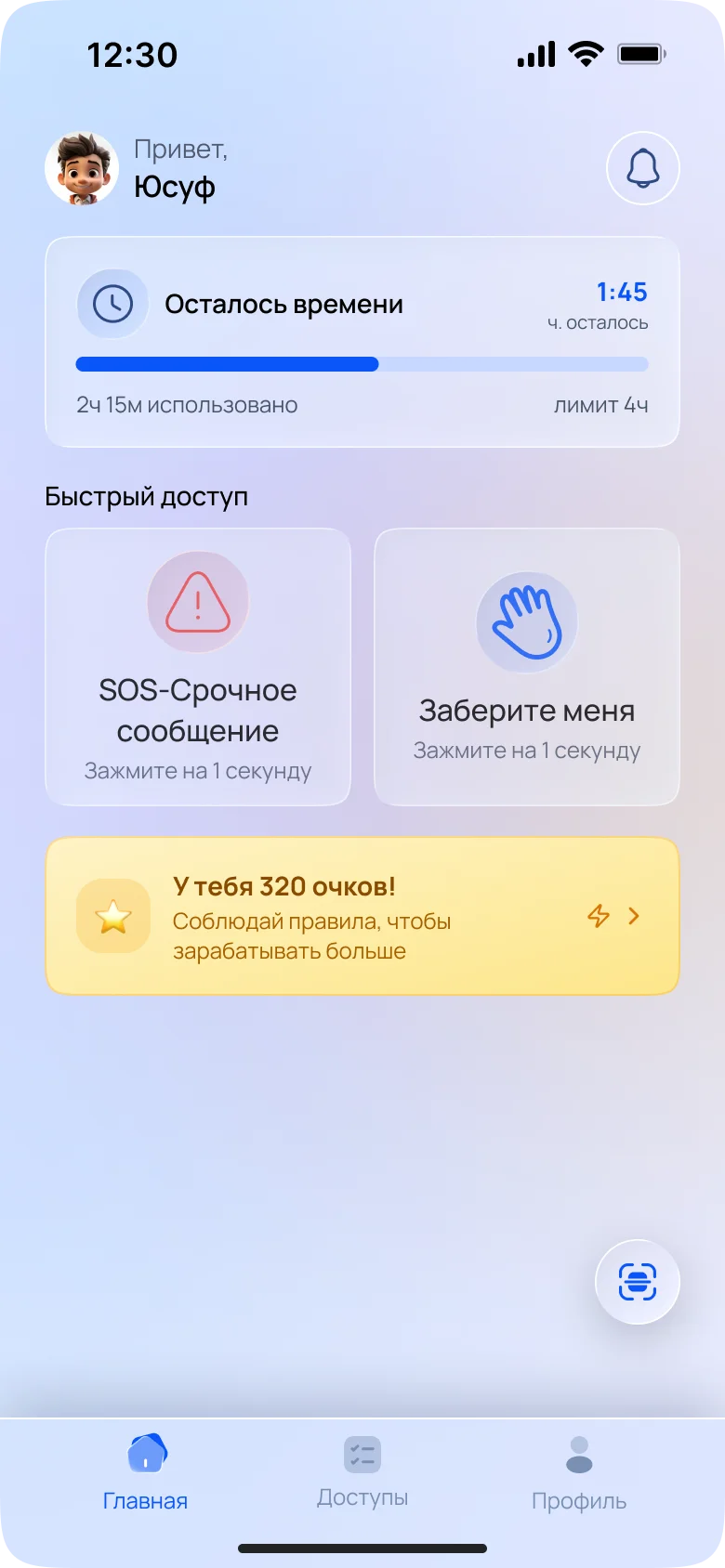
An SOS button, Pick me up, and points for following the rules.

Safy Kid home screen with quick actions and remaining screen time

Safy at a glance

  • Connect in 15 seconds
  • Location updates in the background
  • One-tap SOS
  • Safy Kid for iOS and Android
  • A new pairing code every time

Peace of mind without constant surveillance

Minimum interference in your child's life — maximum protection.

EVERYTHING FOR PEACE OF MIND.NOTHING EXTRA.

LOCATION AND SAFE ZONES

Always know where your child is

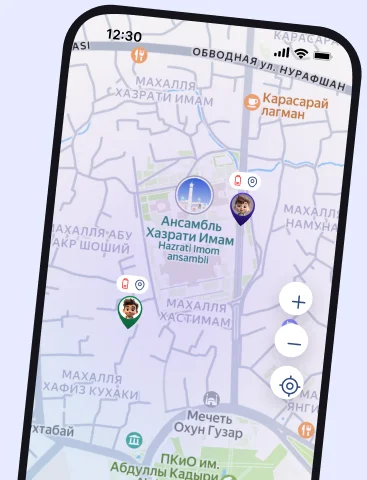
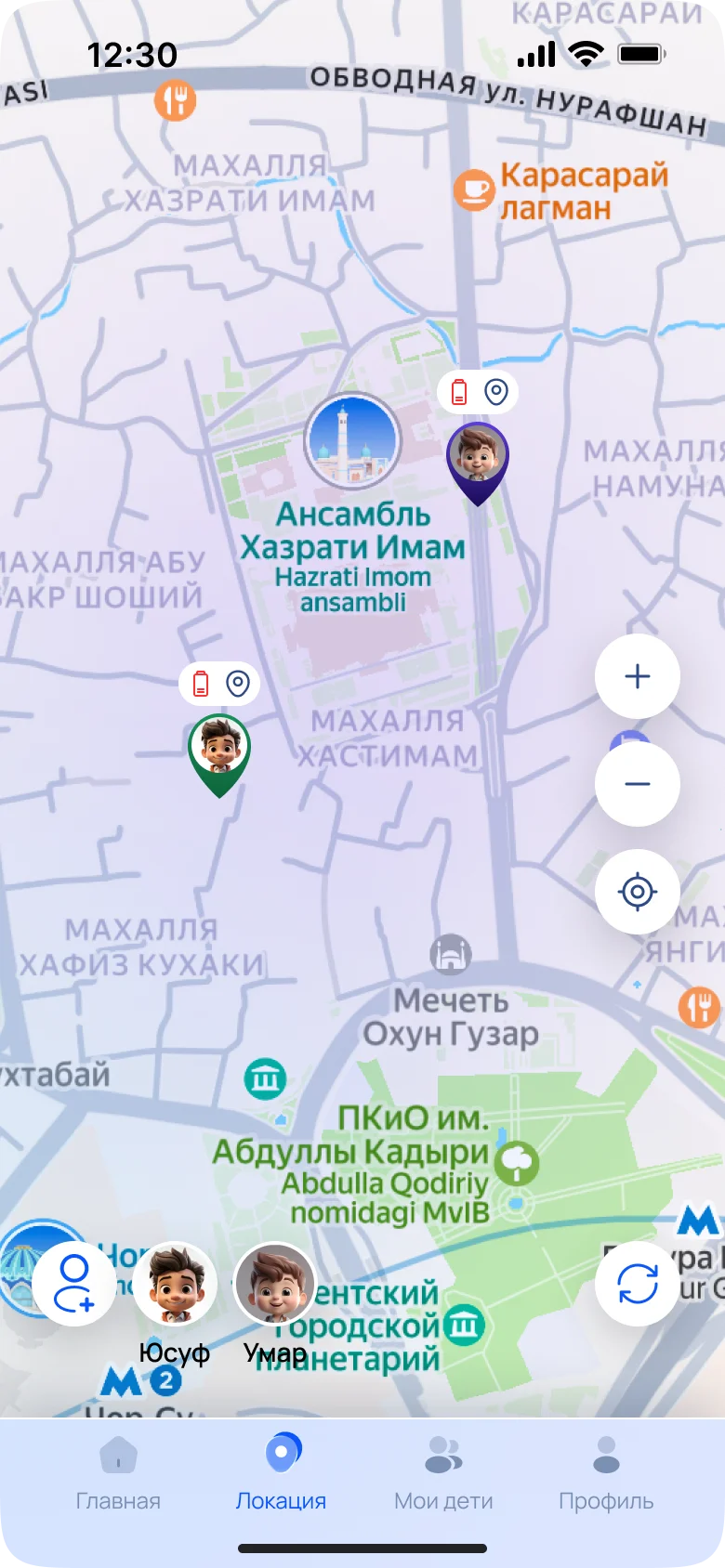
See precise, real-time location on the map. Create safe zones of any radius around home, school, or activities and get a push notification when your child enters or leaves.

  • Home
  • School / Activities
  • Grandma
Safy map showing the child's location and safe zones

EMERGENCY HELP

SOS

One tap in Safy Kid sends you a message with your child's coordinates, even when Safy Parent is closed.

SOS · Urgent message

now

Yusuf is asking you to pick him up

App limits

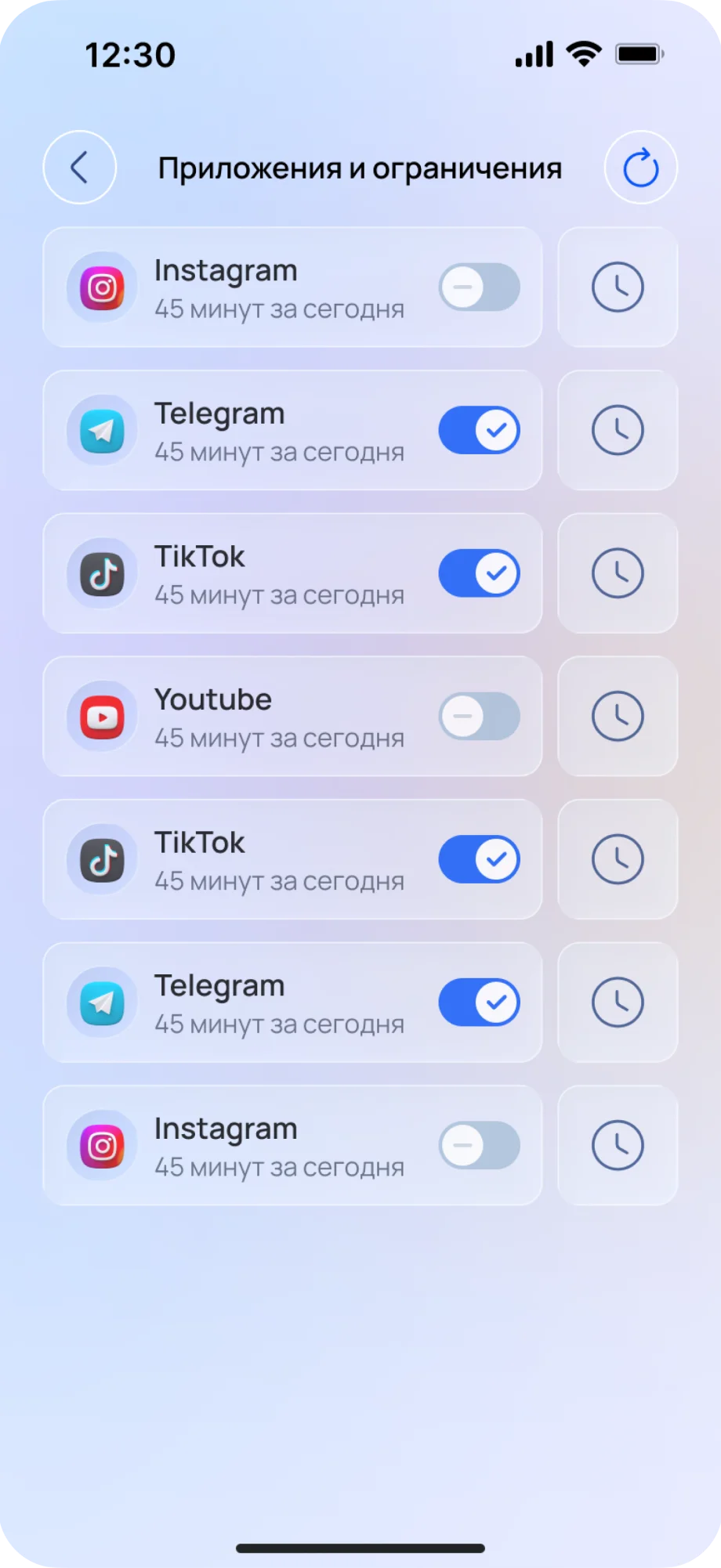
Set separate time limits for Instagram, TikTok, YouTube, and other apps.

PIN and lock

Set a PIN, block apps, and lock the phone remotely.

Location history

See your child's complete route for a day, week, or any period.

Screen time

View statistics for every app and set one daily limit for the whole phone.

Inside the app

See how Safy works

Every screen helps parents understand what matters in seconds.

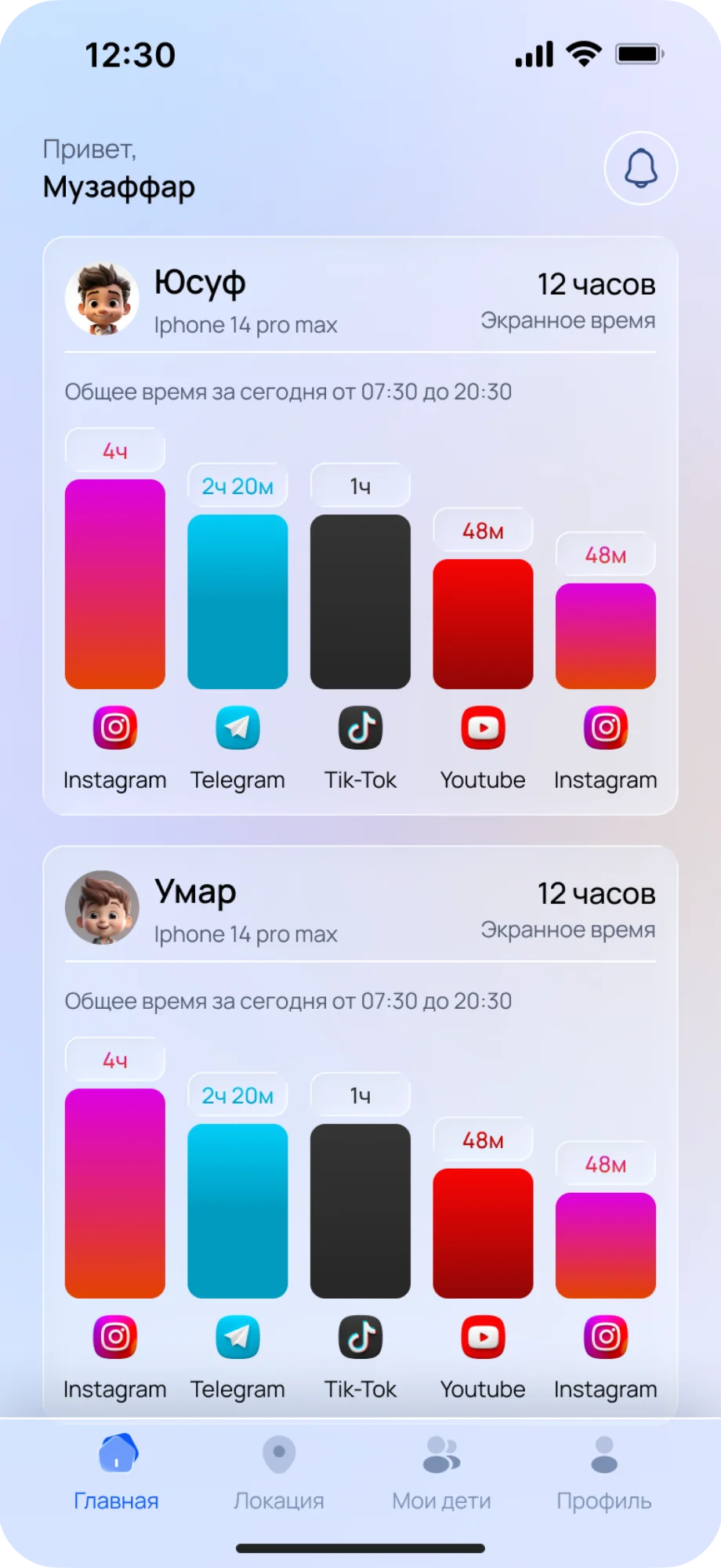
Screen time

See how long your child spent on Instagram, Telegram, TikTok, and YouTube today and this week.

Safy screen showing screen-time statistics

Apps and limits

Enable or disable apps with one switch and set individual limits.

Safy screen showing the app list and restrictions

Map and safe zones

See every child on one map. Mark home, school, and activities — Safy tells you when your child arrives or leaves.

Google PlayApp Store
Android, iOS coming soon
Safy map showing children and safe zones
Safy Kid home screen with points, quick actions and an SOS button
You have 320 points!Follow the rules — earn more
Yusuf arrived homeSafe zone “Home”
SOS sentYour parents received your location
Request sentYour parents know where to pick you up
Safy Kid

Motivation instead of restrictions

Safy Kid does more than set limits — it helps children keep agreements and stay connected with their parents.

Points for following the rules

Children see their progress and feel motivated to follow their limits.

Pick me up button

One tap sends the parent a request with the child’s exact location.

One-tap SOS

An emergency message and coordinates reach the parents instantly.

How it works

Get started in 3 simple steps

No complicated setup — connection takes less than a minute.

Step 01

Install both apps

Install Safy Parent on your phone and Safy Kid on your child’s phone.

Step 02

Connect your child

Tap “Add child” and scan the QR code or enter the 6-digit code.

Step 03

Set the rules

Add safe zones and limits — and get notified about what matters.

Platforms

Your child's phone: Android or iPhone

Safy Kid runs on both platforms; on iPhone some capabilities are limited by Apple’s rules. The Safy Parent app is on Android for now, with iPhone coming soon.

FeatureAndroidiOS
Real-time location
Safe zones and notifications
Location history
SOS and “Pick me up” button
Screen time statisticsPartially*
App limits and blockingPartially*
Remote phone lock—

* On iPhone, app management features work within the system Screen Time controls.

FAQ

Frequently asked questions — short answers

Everything parents ask before installing Safy.

  • Yes. Parents use Safy Parent, while the lightweight Safy Kid app is installed on the child’s phone. It runs in the background and shares location, statistics, and SOS alerts.

Parents choose
peace of mind every day

Reviews from Google Play and the App Store — unedited.

Sample content — replace with real reviews

Start today

Ready to protectwhat matters most?

Download Safy Parent and Safy Kid — setup takes less than a minute. Location. Control. Peace of mind.

Get it onGoogle Play